 The Squeasel
Squeeze your images.
Keep them on your Mac.
Crop, resize, and shrink photos for the web in one click, or a whole folder at a time. Save your settings as recipes and reuse them. No account, no cloud, no uploads.
macOS 12 or later · Apple silicon and Intel · Free and open source (GPL-3.0)

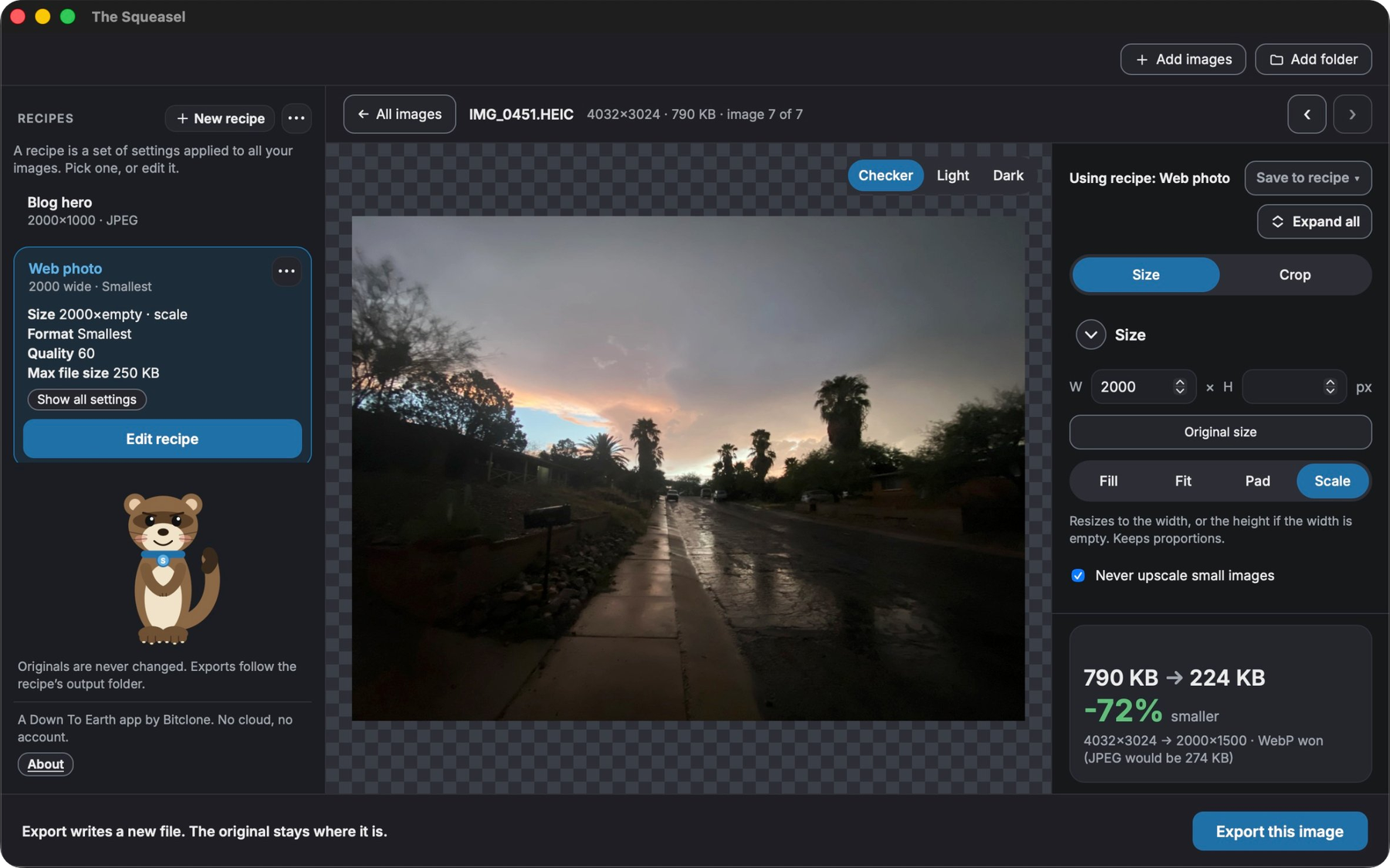
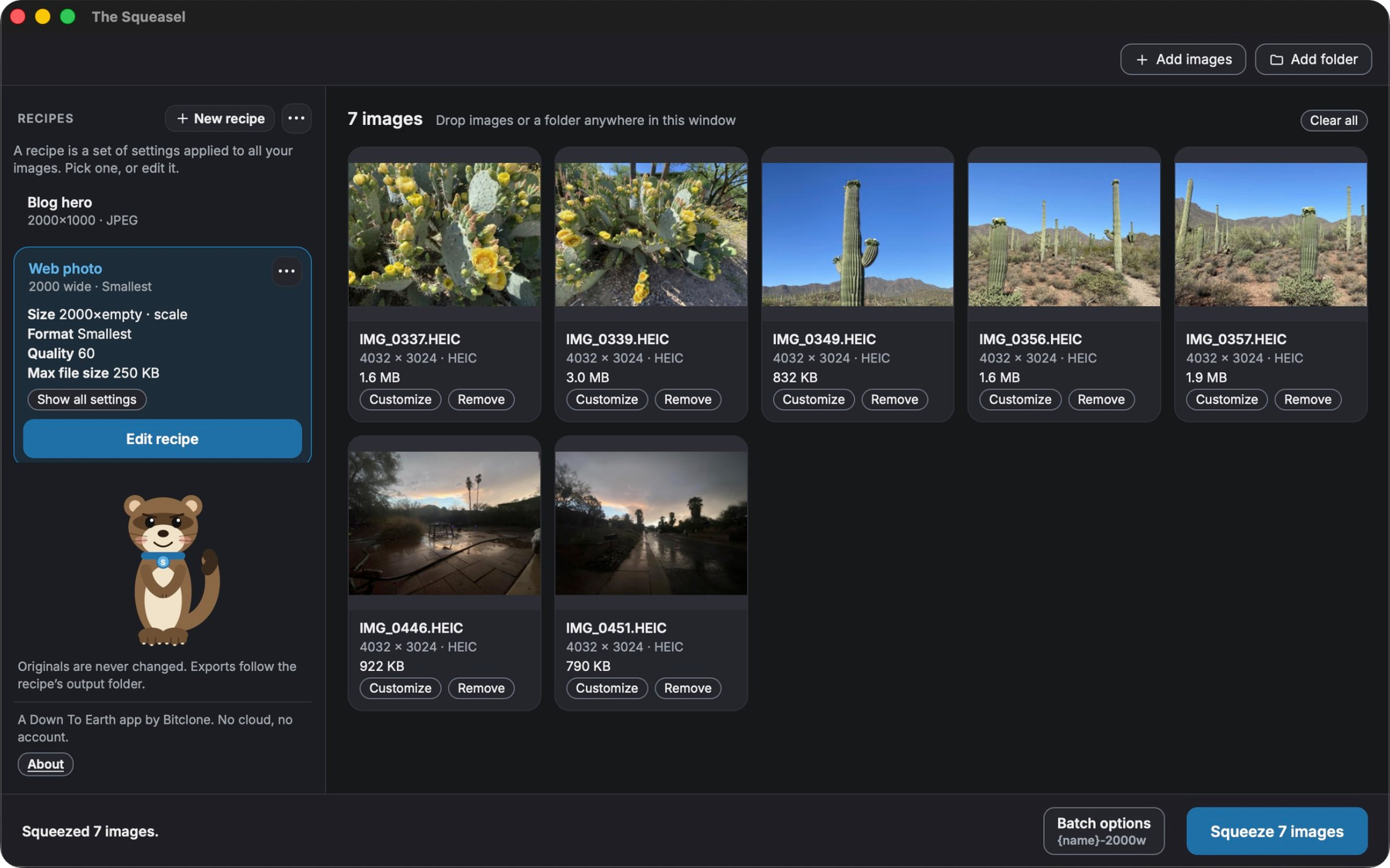
Everything you need to get images web-ready
Built for people who prepare images for websites, blogs, and stores, and who are tired of uploading them to someone else's server.
Recipes
Save your size, crop, format, quality, and file name settings once. Apply them to one image or a hundred. Change a single image without touching the recipe.
Crop and resize
Fill, Fit, Pad, or Scale, with a live preview and the exact before and after file size. Small images are never blown up unless you say so.
Hit a file size
Set a maximum, like 250 KB, and The Squeasel finds the best quality that fits. JPEG, PNG, WebP, or let it pick the smallest.
Batch a folder
Squeeze a whole folder with progress and a Cancel button. A results screen shows what you saved and offers one-click fixes for anything over the limit.
Name files your way
Patterns like {name}-{width}x{height} with a live example before you export. Existing files are never overwritten.
Private by design
Your originals are never changed. Nothing is uploaded, tracked, or sent anywhere. There is no account to make.
How it works
Three steps, and your originals stay exactly as they were.
Drop in your images
Drag in photos or a whole folder, or use Add images.
Pick a recipe
Choose one of the starters, like Blog hero or Web photo, or make your own.
Squeeze
New files land in a squeasel folder next to the originals.
What it works with
- Open these
- JPEGPNGWebPGIF (still)TIFFHEIC
- Save as
- JPEGPNGWebP
- Colors that stay right
- Display P3, Adobe RGB, and grayscale profiles are converted to sRGB so your images look the same in browsers.
- Metadata
- Strip it all, or keep only the copyright line.
Private by design
The Squeasel never connects to the internet. Your images stay on your Mac. There is no account, no analytics, and no telemetry.
This website does not use cookies or analytics either. Read the privacy details.
Free and open source
The Squeasel is free software under the GNU General Public License v3.0. You can read, build, and change the code. It comes with no warranty.